
How can I Set the Dedicated IP as a Shared IP for one Reseller Accouont ?
[do_widget id=text-16]
[do_widget id=text-20]
Share This Now: [addtoany]
Watch Reseller Hosting Video Tutorial
[do_widget id=text-24]
[do_widget id=text-25]
Procedure
Allocating Dedicated IP To Reseller Account In Dedicated Server
Using the below procedure you can make your Dedicated IP as a Shared IP,
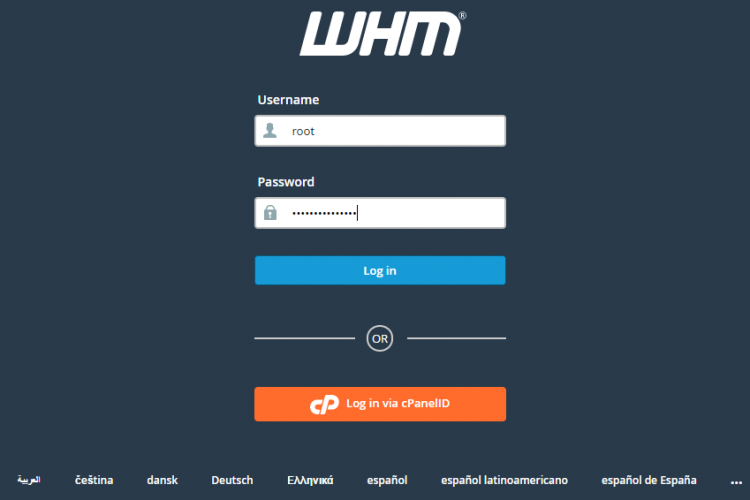
1.Login to the WHM as root user.
2. Go to the path,
Home » IP Functions » Show IP Address Usage
3. Check the available IP address which you are going to make shared IP.
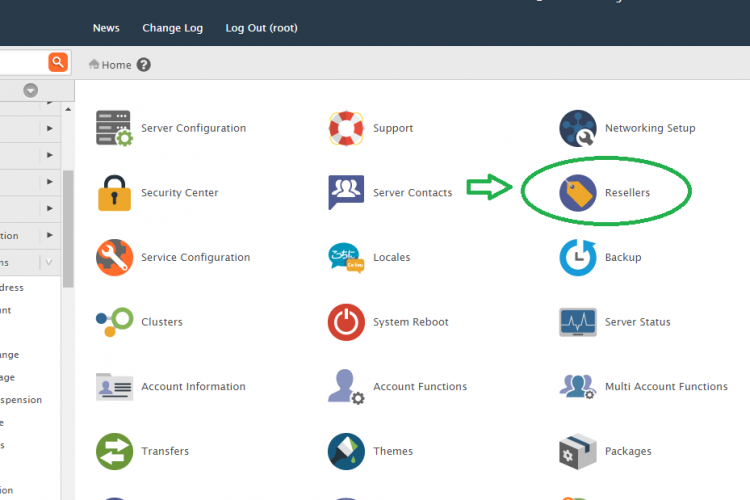
4. Then Go to the path,
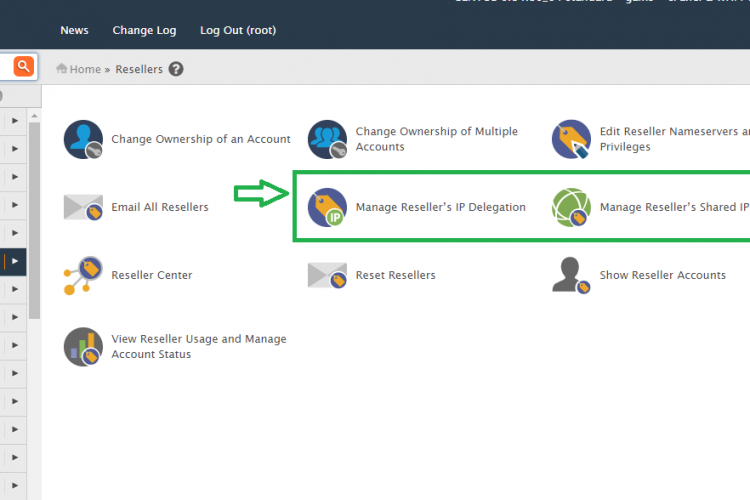
Manage Reseller’s IP Delegation >> select the reseller username >> Submit >> Restricted delegation >>Select the IP >> Save
5. After that give shared privilage using the below step
Manage Reseller’s Shared IP >> select the reseller username >> Submit >> Choose the shared IP(new Ip) allocated for the reseller account >> Save.
Screen Shots
Refer Screen Shots
Troubleshooting FAQs
Dedicated Server WHM Troubleshooting FAQs
[sp_faq design=”design-2″ sp_faq category=”2651″ sp_faq limit=”10″ single_open=”true”]
Downloads
Related Downloads
[do_widget id=text-28]
[do_widget id=text-29]
[do_widget id=text-30]
[do_widget id=text-31]
[do_widget id=text-32]
[do_widget id=text-33]
[do_widget id=text-34]
[do_widget id=text-35]
[do_widget id=text-37]