
How can I Send email to all Resellers in the Dedicated Server ?
Dedicated Server have the facility to send mail to all the resellers in the server. Using this option you can send any important information about the server .
[do_widget id=text-16]
[do_widget id=text-20]
Share This Now: [addtoany]
Watch Reseller Hosting Video Tutorial
[do_widget id=text-24]
[do_widget id=text-25]
Procedure
Sending Email To All The Resellers In Dedicated Server
To send mail to all reseller in your dedicated server via WHM, please follow the below procedure,
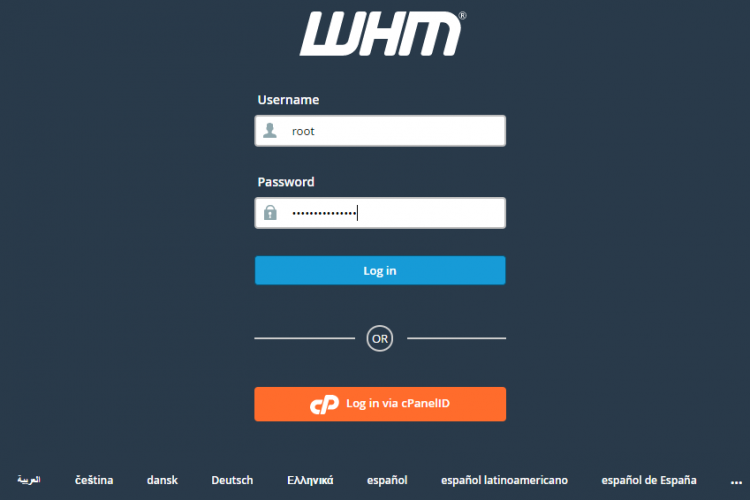
1. Login to the Dedicated Server WHM as root user.
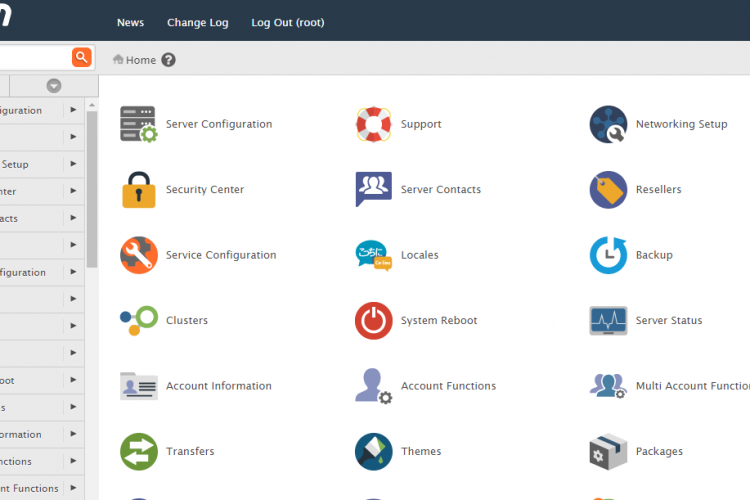
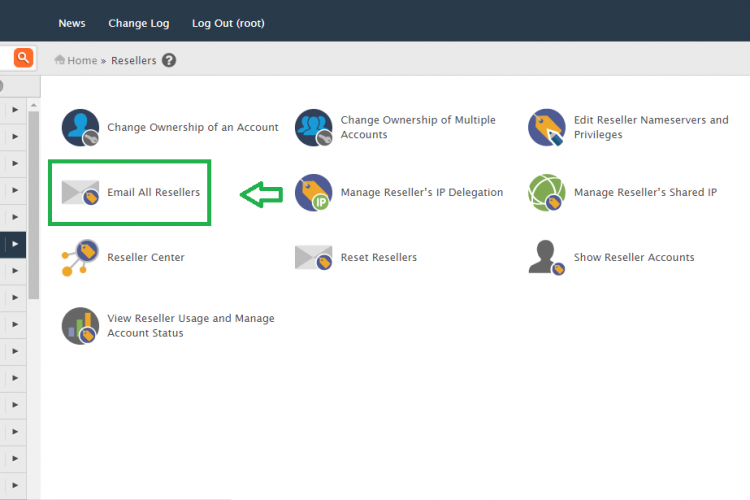
2. Go to the path,
Home » Resellers » Email All Resellers
3. Here You can able to see the option the below details,
- Sender Name
- Sender Email
- Subject
- Message Body
4. Fill all the fields and click ” send ”
Screen Shots
Refer Screen Shots
Troubleshooting FAQs
Troubleshooting FAQs Not Available
[sp_faq design=”design-2″ sp_faq category=”2691″ sp_faq limit=”10″ single_open=”true”]
Downloads
Related Downloads
[do_widget id=text-28]
[do_widget id=text-29]
[do_widget id=text-30]
[do_widget id=text-31]
[do_widget id=text-32]
[do_widget id=text-33]
[do_widget id=text-34]
[do_widget id=text-35]
[do_widget id=text-37]