
How do I Transfer the Domains from another Dedicated Server to our Dedicated Server ?
[do_widget id=text-16]
[do_widget id=text-20]
Share This Now: [addtoany]
Watch Reseller Hosting Video Tutorial
[do_widget id=text-24]
[do_widget id=text-25]
Procedure
Account Transfer In Dedicated Server
To Transfer the Domains from another Dedicated Server to our Dedicated Server via WHM is possible using the below Steps,
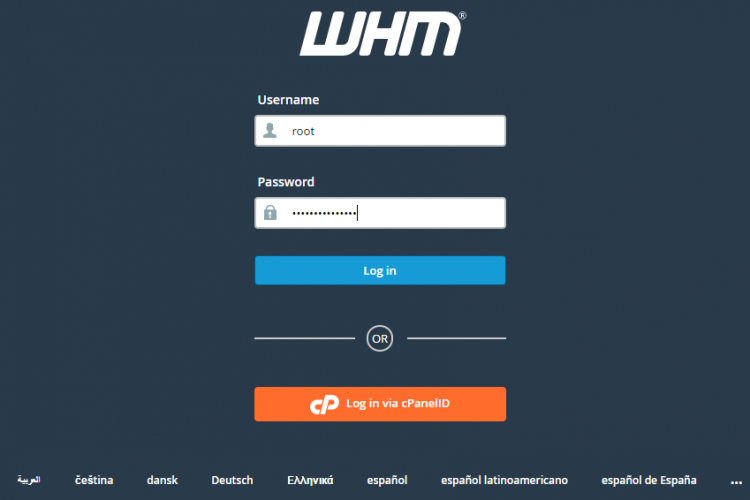
1. Login to the Dedicated Server WHM as root user.
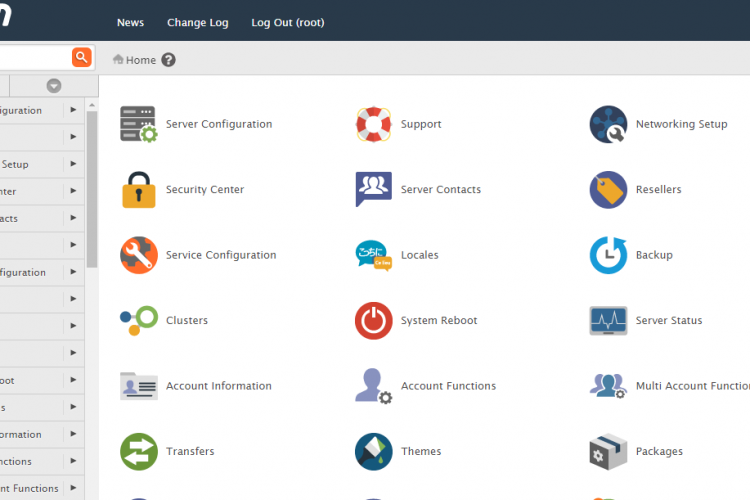
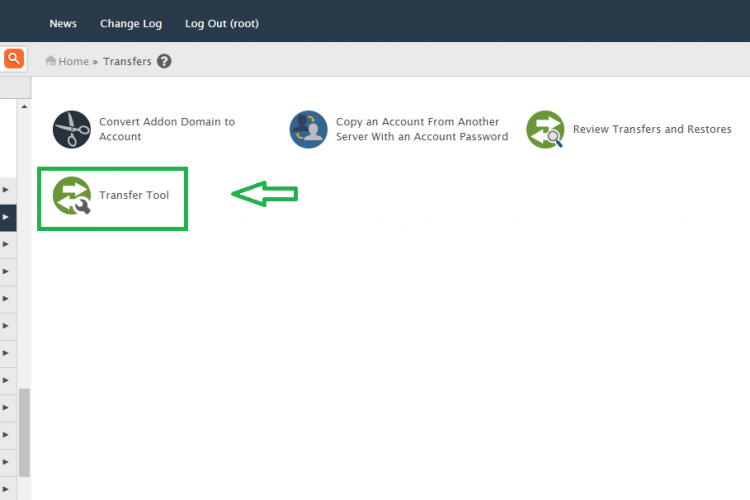
2. Go to the path,
Home »Transfers »Transfer Tool
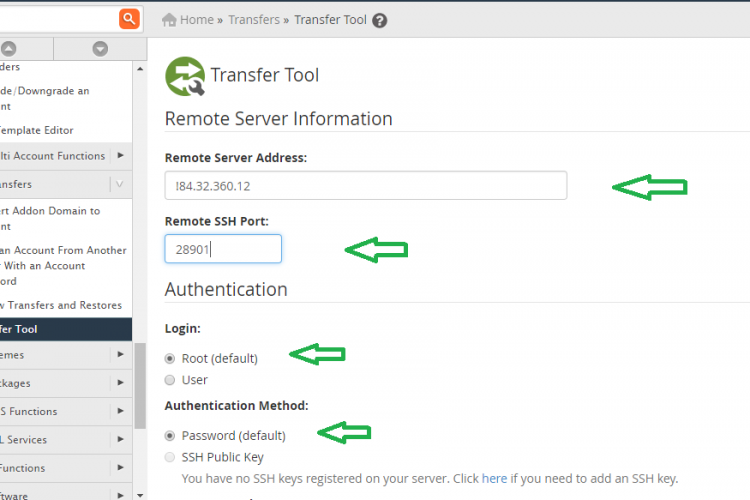
3. After that provide the below details in that page,
Remote Server Address:
Remote SSH Port:
Authentication
4. After this ,
root >> chose root if you are using the root login,
User >> choose user and provide the username of the account if you are using the cPanel login details.
Authentication Method:
>> Password (default) >> always choose this and provide password.
>> Root Escalation Method:
* su >> choose to provide root password.
* sudo >> choose to give cPanel account passowrod.
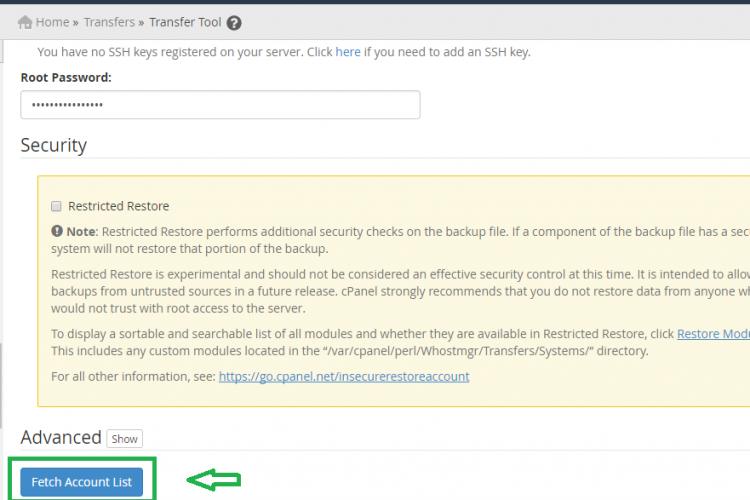
5. Finally click “Fetch Account List” . It will take some time.
6. Then it will create the session and logged into that remote server, then you can choose the domains which you want to migrate to this server and proceed further.
Screen Shots
Refer Screen Shots
Troubleshooting FAQs
Troubleshooting FAQs Not Available
[sp_faq design=”design-2″ sp_faq category=”2720″ sp_faq limit=”10″ single_open=”true”]
Downloads
Related Downloads
[do_widget id=text-28]
[do_widget id=text-29]
[do_widget id=text-30]
[do_widget id=text-31]
[do_widget id=text-32]
[do_widget id=text-33]
[do_widget id=text-34]
[do_widget id=text-35]
[do_widget id=text-37]