
How do I Change customer control panel login details?
Windows Reseller Web Hosting comes with Plesk Control Panel to manage all the domains which is present under your account. This procedure allows you to change the login details for your customer account.
Share This Now: [addtoany]
Watch Reseller Hosting Video Tutorial
Procedure
Procedure to Change customer control panel login details in Plesk Control Panel :
Windows Reseller Web Hosting comes with Plesk Control Panel. You can able to change the password for your customer control panel from your windows reseller hosting account. Please find the below procedure to change the password for customer control panel.
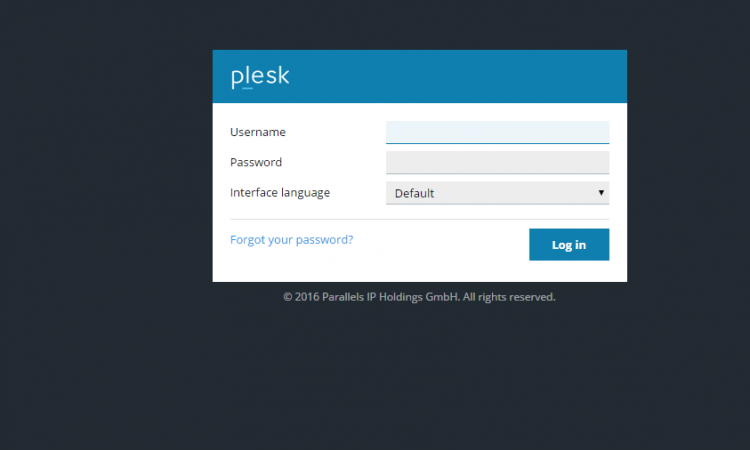
[1]Access your control panel at https://www.yourdomain.com:8443 [ Example :https://www.servername:8443 ]
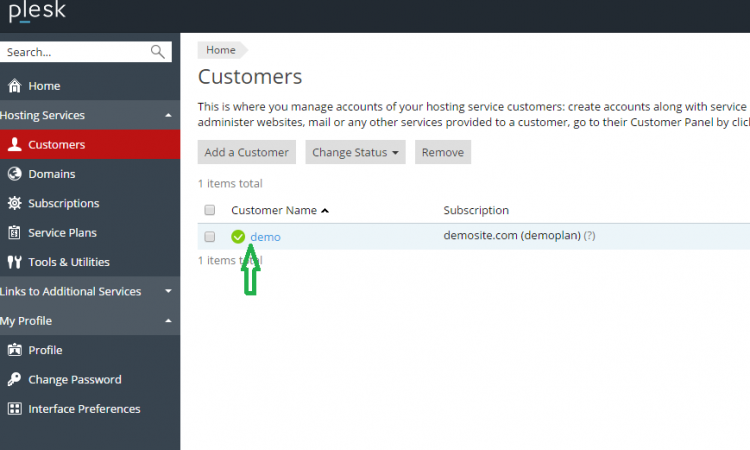
[2]Click on customers
[3]Click on customer name
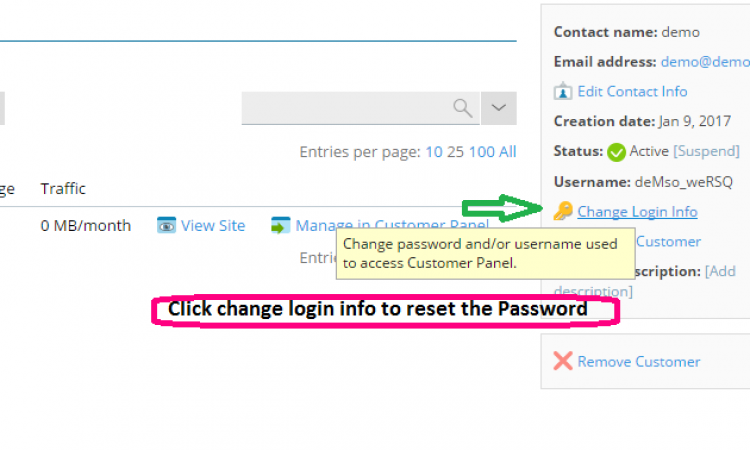
[4]Change login info
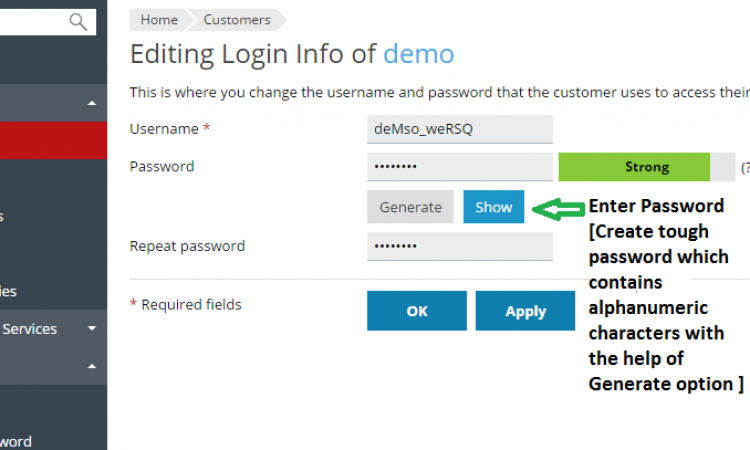
[5]Give new password and click on ok.
Screen Shots
Refer Screen Shots
Troubleshooting FAQs
Reseller Hosting Plesk Troubleshooting FAQs
[sp_faq limit=”10″ category=”1666″ single_open=”true” transition_speed=”300″]
FAQs