
Introduction #
Direct Admin Control Panel is a popular Linux Web Hosting such as Linux Dedicated Hosting, Linux Reseller Hosting and Small Business Hosting. There are many features in Direct Admin Control Panel to configure your domain name with E-Mail, Databases, FTP and DNS. In this article, we will learn how to change an E-mail usage limit in Direct Admin Control Panel.

Prerequisites #
1. You will require Login details for Direct Admin Control Panel of the Domain name.
Important Notes #
1. Make sure you have an E-mail Account under a domain in Direct Admin Control Panel.
2. Your Username and Password should be Valid.
3. Username should be in Lower Case to create E-mail Account.
4. Password must have minimum of 12 character with Upper and Lower Case, Numbers and Special Characters. [ Ex: g%Dw#tQ!4&f3@Jiq ].
Watch the Video #
Procedure #
1. Login to Direct Admin Control Panel by using https://yourdomain.com:2222/ or https://IP-address:2222/ or https://server-hostname:2222/.
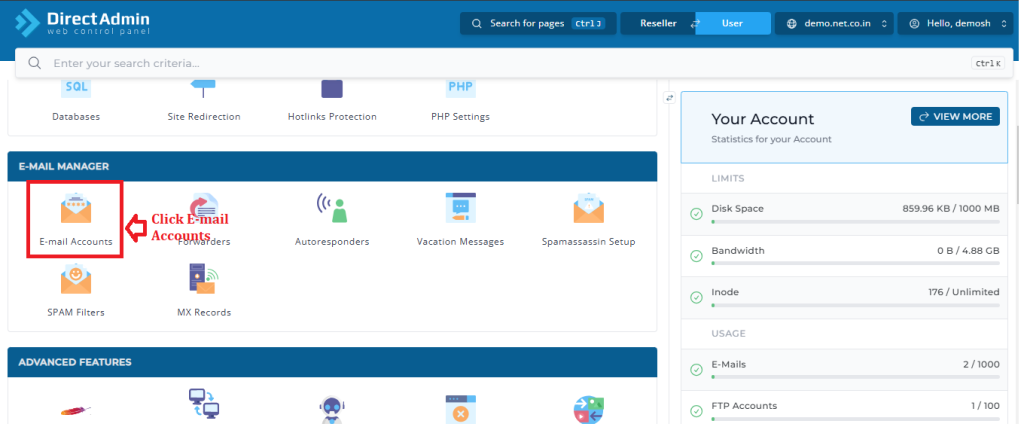
2. In the E-mail Manager section, Click “E-mail Accounts”
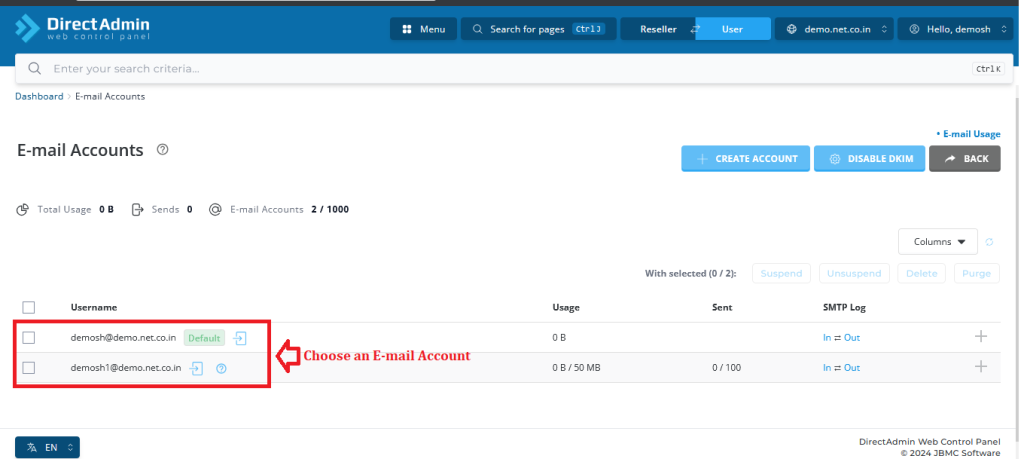
3. Select an E-mail Account you want to change.
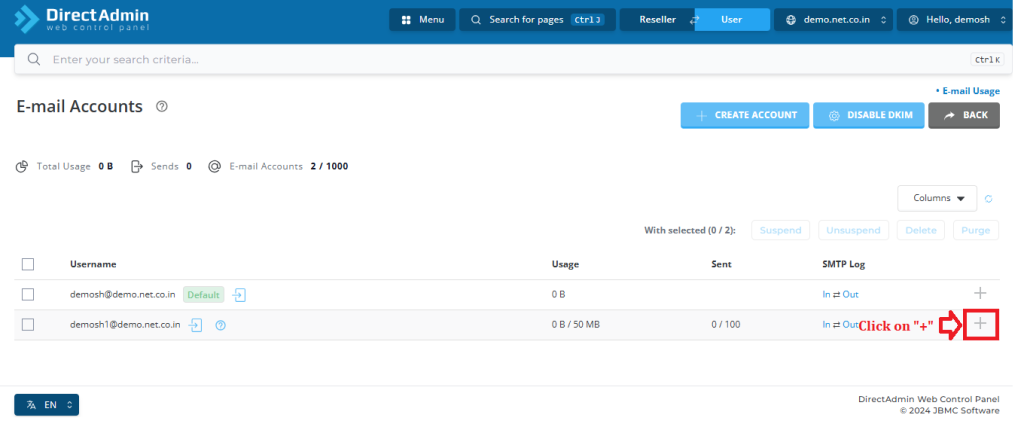
4. Click the “+” icon.
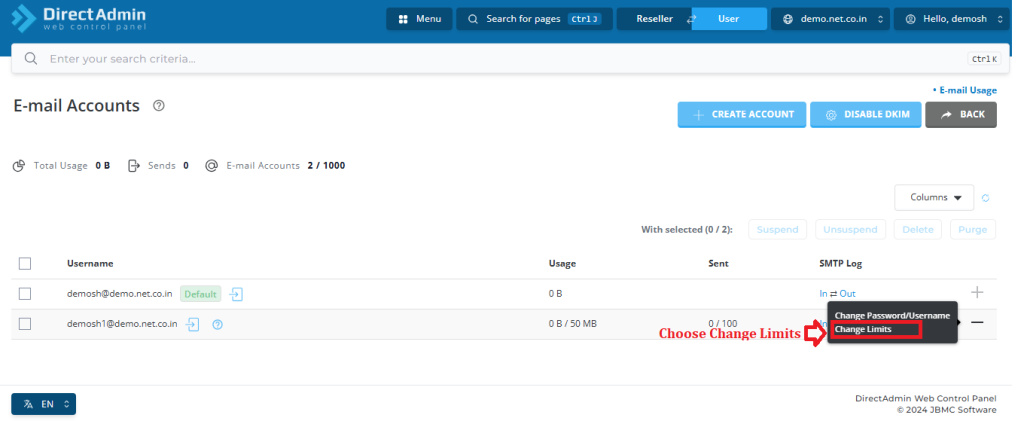
5. Select the Change Limits.
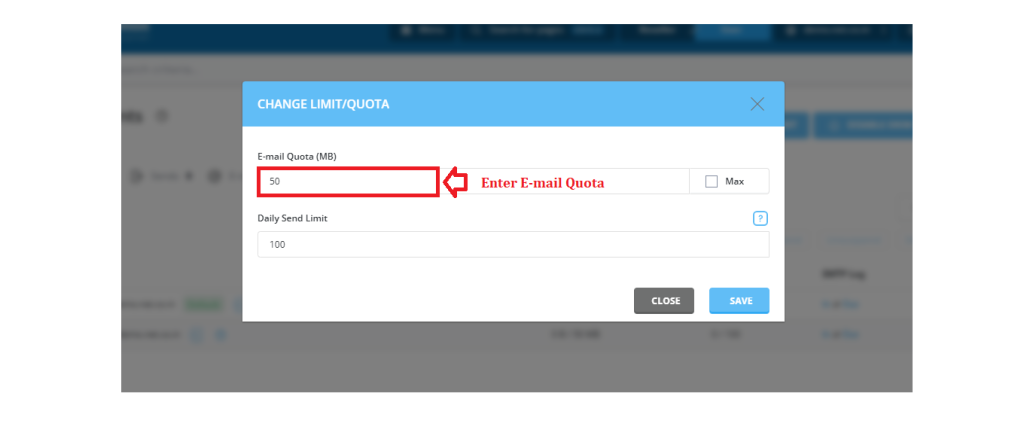
6. Enter the desired E-mail quota.
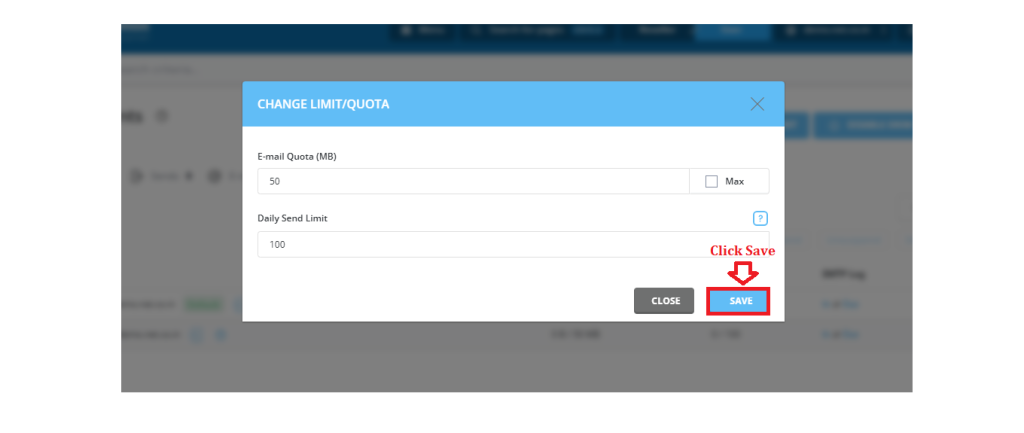
7. Click “Save”.
Conclusion #
We have successfully learnt to change an E-mail usage limits in Direct Admin Control Panel. There are many features in Direct Admin Control Panel to configure your domain name with E-Mail, Databases, FTP and DNS. For top Corporate Web Hosting Click here.


